
Help
Workflows
Chain steps so one generation feeds the next.
A workflow is the thing you would otherwise do by hand: generate a portrait, download it, upload it to Animate, wait, download that, take it to the timeline. Written once, it runs unattended.
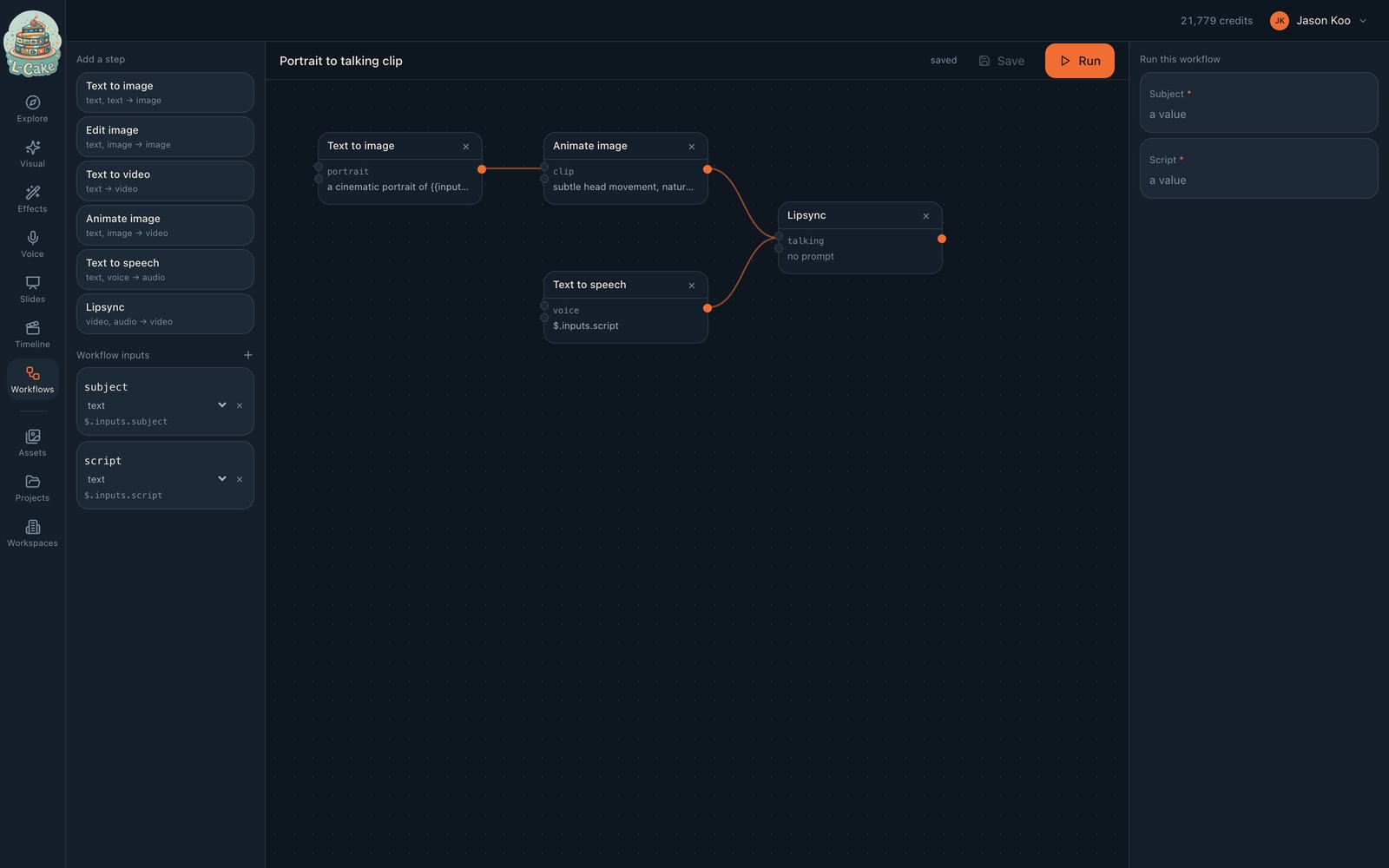
Wiring steps together
Steps refer to each other’s results by reference, in two forms:
- $.steps.hero.output
- The whole value is the reference — an asset id handed to the next step
- {{steps.hero.output}}
- Interpolated inside a string, such as a prompt
Inputs work the same way — $.inputs.subject and {{inputs.subject}} — and are the things that change per run.
step "hero" t2i prompt: "a portrait of {{inputs.subject}}, studio lighting" step "talking" i2v startFrame: $.steps.hero.output prompt: "{{inputs.script}}"
Run it with a subject and a script; everything else is fixed.
Edges are derived, not drawn
The graph is read out of the references inside each step, so there is no separate wiring to keep in sync — a step that mentions $.steps.hero.output depends on hero, by definition. Order follows the dependencies.
Running one
Fill in the inputs and run. Each step becomes a real job with its own row, so you can see which step is running, which failed, and what each produced.
Credits are held per step, as it runs
Not all up front. A workflow that fails at step three has paid for two steps and refunded the third, and the outputs of steps one and two are normal assets you keep.
What it is not
Not a general automation tool. Steps are generations; there are no conditionals, loops or calls to anything outside L-Cake. A workflow is a straight line through the generators with references instead of copy-paste.
When something goes wrong
Unresolved reference
A reference names a step or input that does not exist. The error names the reference — usually a typo in the step id.
A step failed and later steps did not run
Correct behaviour: they were waiting on its output. Earlier steps keep their results.
The run sits at queued
The worker is down, or recipe concurrency is set to zero.
Application error on the editor page
A stale JavaScript chunk after a deploy. Hard reload.